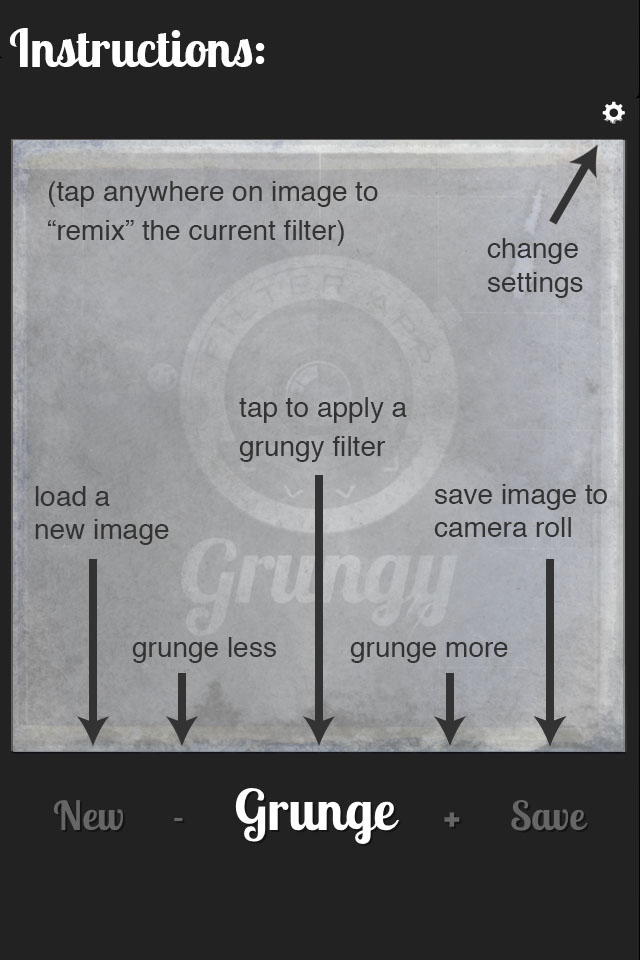
- How to use
- Photo source:Camera Library Ask me
- Default Color Setting:Color Black & White
- Install Grungy
- About


Grungy, ready when you are.
Add Grungy to your home screen to open it like an app.
iPhone / iPad: Open in Safari, tap Share → Add to Home Screen. Turn on Open as Web App if shown, then tap Add.
Android: Open in Chrome, tap ⋮ → Add to home screen → Install.
Preparing Grungy for offline use. The textures download once (about 120 MB). Keep this page open until they are ready.
Hi, my name is Adrian Hanft and I created this app. I am a photographer, designer, and app developer. I created this app because I love to push photos away from the pixel-perfect images that digital cameras spit out. I collect and modify cameras for fun. Remember the Lego camera that went viral back in 2006? That was my creation. I have a photo blog where I document my experiments called Found Photography.
I am committed to the development of Grungy and I hope you like it. If you have ideas or suggestions please message me. Obviously, I am only one person, but I will do whatever I can to make sure that Grungy is one of your favorite apps. Thank you for using it!
Oh, one more thing.The success of this app depends on good review on iTunes. Would you take a moment to give it a good rating? I would greatly appreciate it!